Where can I find the document I’m looking for?
Individual documents can be found in the Archive view of the Documents service.
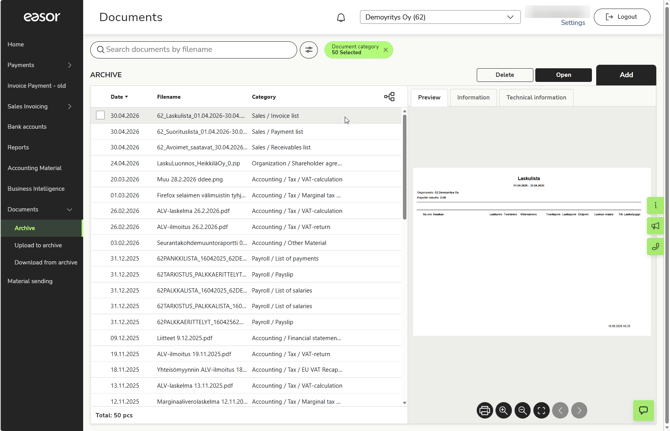
You can search for a specific document by typing the file name into the search field or by clicking the Search criteria button and specifying more detailed search criteria. Read more.
Sometimes it’s easier to find a document in the folder view. Switch between list and folder views using the icon in the top right-hand corner of the list.
If you cannot find the correct document using these methods, please contact your accountant. Your accountant determines the document-specific viewing rights for each document.
Where can I download the data for the entire financial year onto my computer?
You can compress all the data for an entire financial year into a single downloadable file via the Archive Download view in the Documents service.
Please note that only accountancy firm users and those client users with archive download rights can access the archive download.
Read more about archive downloads.
The document preview does not open
If the document preview does not open, the problem may be your browser’s zoom settings. Try zooming out on the window.
How do I send material to accounting?
You can send material, such as voucher images, to accounting using both the browser version of Easor App and the mobile app.
Read the instructions on how to send material via a web browser.
Read the instructions on how to send material via the Easor App mobile app.
I sent a voucher with incorrect details to accounting. What should I do?
You can no longer edit or delete a voucher once it has been submitted. Please contact your accountant, who will make the necessary corrections.
Where can I find the material I’ve sent?
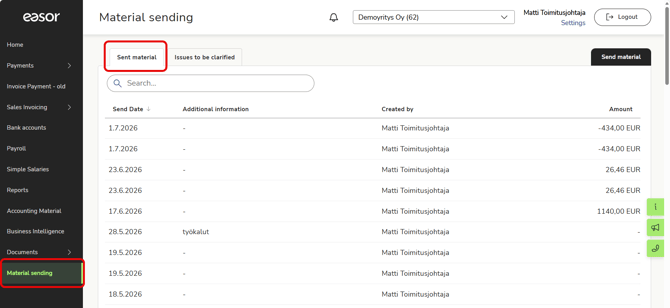
You can find the material you’ve sent in the Easor App’s Material sending service. Administrators can also view material sent by other users.
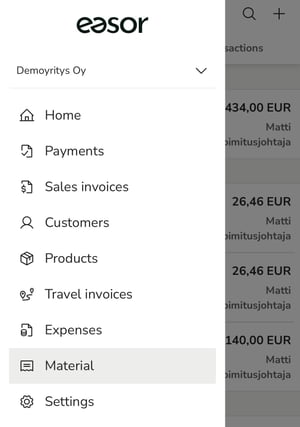
Material sent via the Easor App mobile app can be found in the Material service.