- Select Settings from the top bar of the Easor App, then select Personal information.
- Under the Personal information heading, you will find your personal information, address, account number, and username. In the Language menu, you can change the language of the Easor App (Finnish, Swedish, English). If you make any changes to your information, select Save My Information when you are finished.
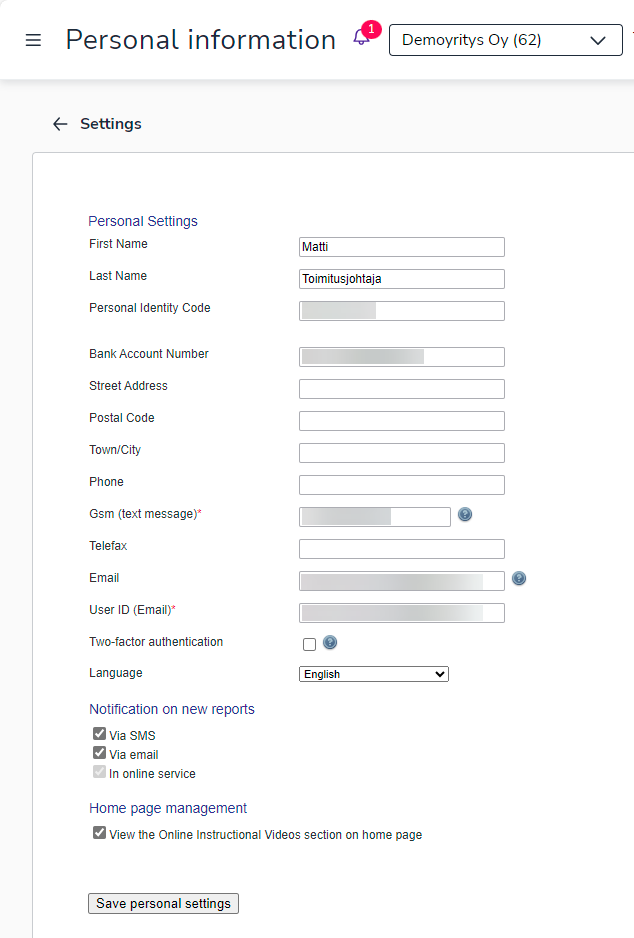
- The Notification on new reports setting determines how you will be notified when new accounting reports are available in the Easor App.
Substitute
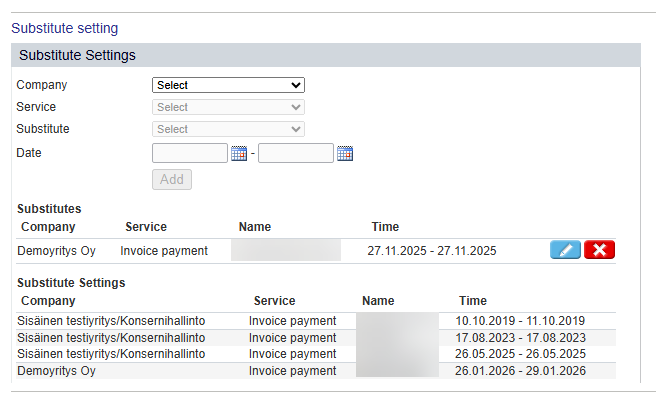
Under the Substitute settings heading, you can specify substitutes for the Invoice Payment/Payments service. The Substitutes list shows the people who will act as your substitutes during the specified period. The Substitutions list shows the people for whom you will act as a substitute.
-
Select the company for which you are defining the substitute.
-
Select the Invoice payment service.
-
Select the person who will act as your substitute.
-
Define the dates during which the person will act as your substitute.
-
Select Add. The information will appear in the Substitutes list.
-
You can edit the substitute's information using the pencil button and delete the substitute from the X button.
Change your password
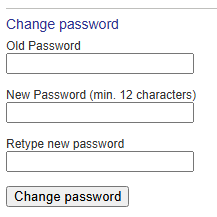
At the bottom of the Settings page, you can change your Easor App password.
-
First enter your old password.
-
Enter your new password twice. The password must contain at least 12 characters.