
The customer register of the Sales Invoicing service is used to maintain customer information for sending sales invoices.
1. Open the customer register by selecting Sales Invoicing - Customers from the main menu on the left.
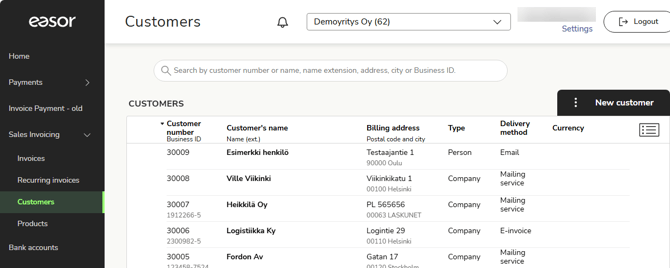
2. Open the customer card by clicking on the customer row.
3. Delete a customer by clicking on the three dots on the left side of the row and selecting Delete.
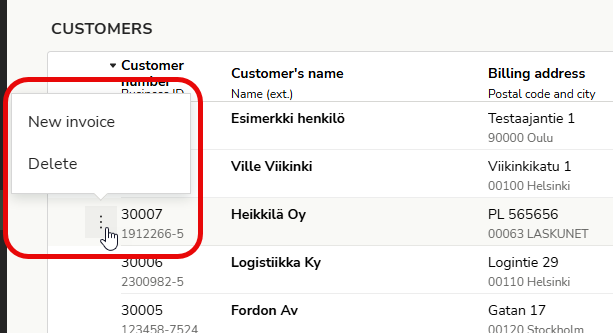
4. From the same menu, you can create a new sales invoice for the customer.
5. In the search field, you can search for customers using various search criteria.