
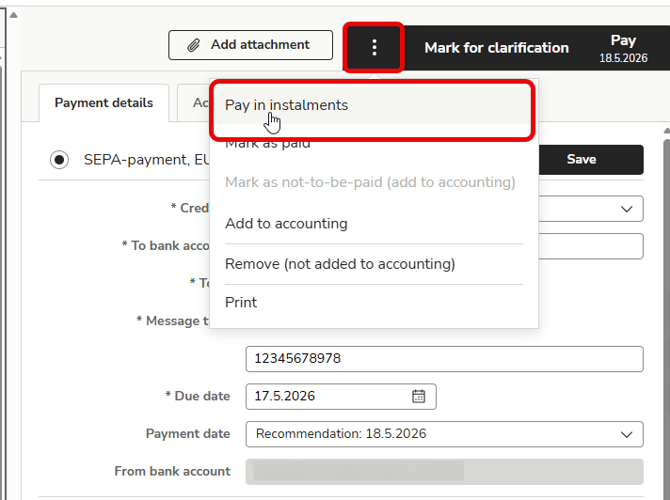
1. Open the invoice and select Pay in instalments from the three-dot menu.
If the Pay in instalments option is not available, you do not have the necessary permissions.
Pay in instalments is only possible with SEPA payments, not with currency payments.
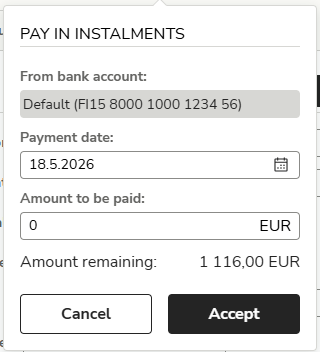
2. Enter the amount you want to pay. The remaining amount will be displayed at the bottom. Select Accept.
3. The instalment will be processed on the specified payment date, after which the remaining amount of the invoice will return to the Waiting for payment tab.