
If you want to quickly find a specific accounting transaction, use the search function in the Journal report.
1. Select Reports > General ledger and journal.
2. Select Journal as the report view.
3. Enter a search criterion in the search field. You can search by accounting account, voucher number, or description, for example.
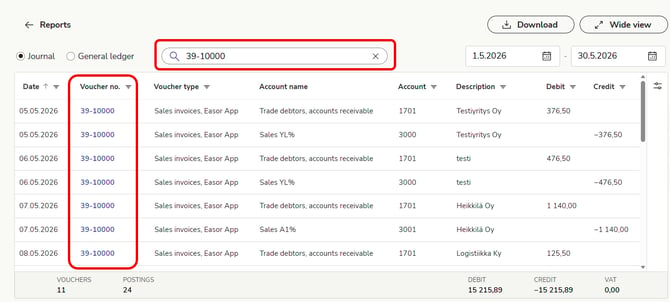
4. The transaction list displays the transactions that match your search. The summary bar at the bottom displays the search results.
5. You can sort the transactions by date or voucher number in ascending or descending order. Click the date or voucher number (voucher no.) column header to change the sort order.