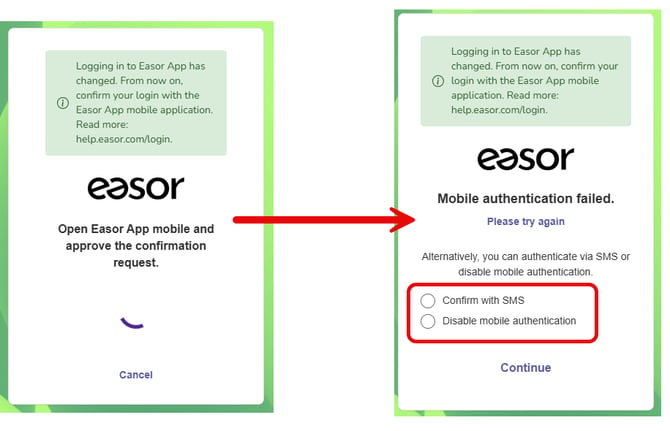
If you have enabled mobile authentication but are unable to log in for some reason:
- Check that you have the latest version of the Easor App.
- Download the iPhone app from the App Store.
- Download the Android app from Google Play.
- Clear your browser’s cache.
If you are still unable to authenticate after trying these steps, you can either confirm your login via SMS or disable mobile authentication.
- Wait 90 seconds on the browser’s confirmation screen.
- Easor App allows you to confirm your login via SMS or to disable mobile authentication.
If you disable mobile authentication, remember to re-enable it later. Read the instructions on how to enable mobile authentication.