These instructions apply to the new Payments service. How do I know if I’m using the new Payments service?
Foreign currency payments include all invoices paid outside the SEPA area or where the invoice currency is other than EUR. For foreign currency payments, banks require more detailed information about the invoicer and the invoicer’s bank than is required for a standard SEPA payment.
The bank will only process the payment if all the required details are entered in the correct fields, so please check the details on the invoice and enter them carefully. If any mandatory details are missing from the invoice, please contact the invoicer to obtain them before paying the invoice.
How to make a foreign currency payment
When making a foreign currency payment, select Other region or currency on the Payment details tab and enter at least all the mandatory details marked with an asterisk. Below you will find further instructions specifically relating to foreign currency payments.
Foreign currency invoices are automatically processed for payment after approval in the new Payments service. If you do not wish to make a foreign currency payment via Easor App, mark it as paid.
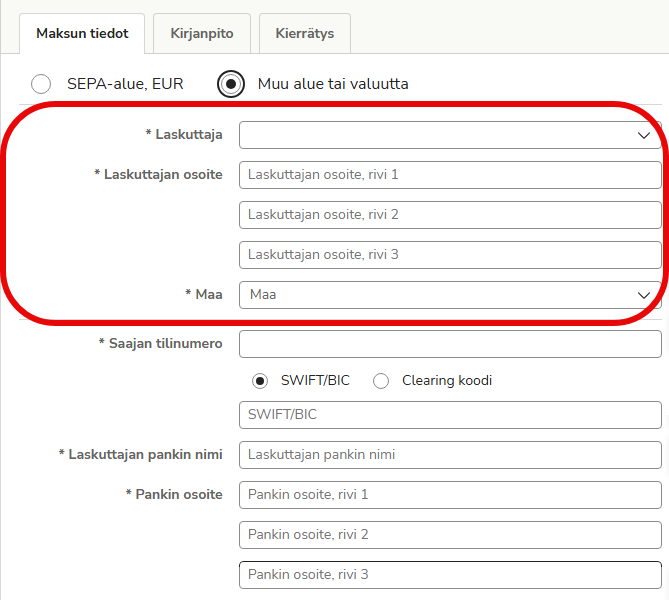
Invoicer’s details
The invoicer’s name must match the account holder’s name exactly.
The invoicer’s address details and country are also mandatory when making international payments. If necessary, enter the address across multiple lines, with a maximum of 35 characters per line.
Invoicer’s bank details
When making foreign currency payments, in addition to the payee’s account number and SWIFT/BIC code, you will need the full name and address details of the payee’s bank so that the payment can be routed to the correct bank and the correct recipient.
If necessary, enter the address on multiple lines, with a maximum of 35 characters per line.
In some cases, the invoicer may specify a clearing code on the invoice instead of a SWIFT/BIC code. The clearing code may also be referred to on the invoice as a routing number, sort code or BSB code.
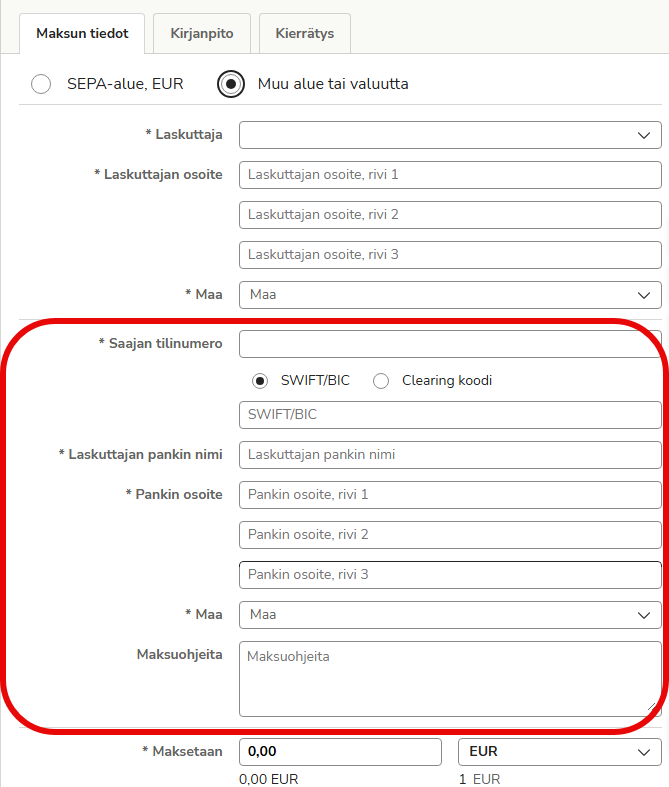
If necessary, you can enter additional payment details for the bank in the Payment instructions field. For example, if the payment is routed to the recipient’s bank via an intermediary bank, you can provide the bank with the intermediary bank’s details in this field.
Payment currency and message
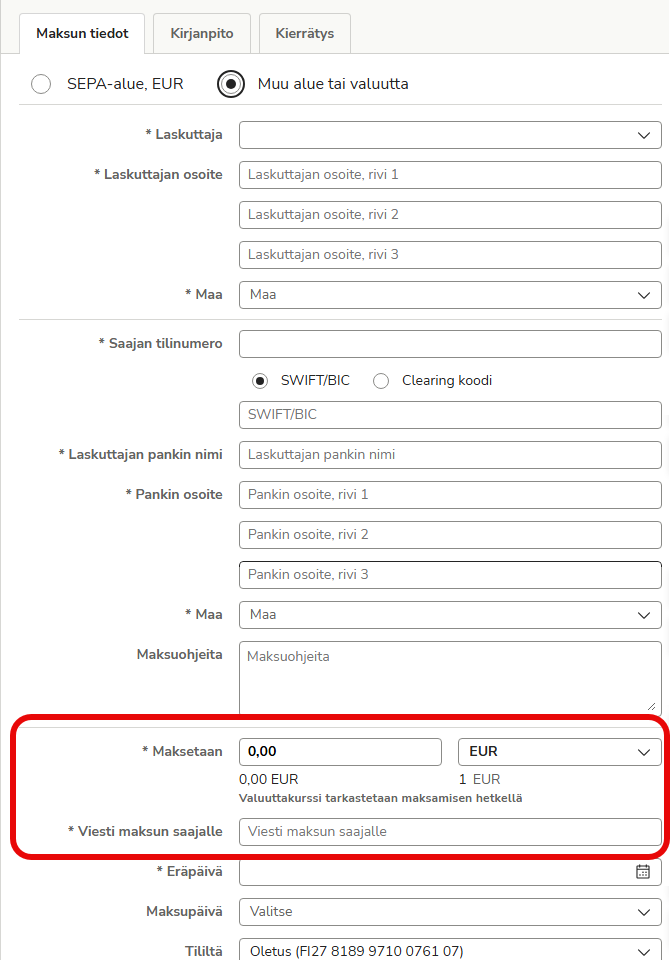
Check the invoice to see which currency the payment is requested in. An invoice paid in the wrong currency will not reach the recipient in full, and repaying it will incur unnecessary additional costs. The euro amount converted at the exchange rate will be automatically updated on the invoice and in the accounts after payment.
Enter information that identifies the payment, such as the invoice number, in the Message to the payee field. Also check with the invoicer or your bank to see if any specific details are required in the invoice message when paying to certain countries or in a specific currency.
Fees for foreign currency payments
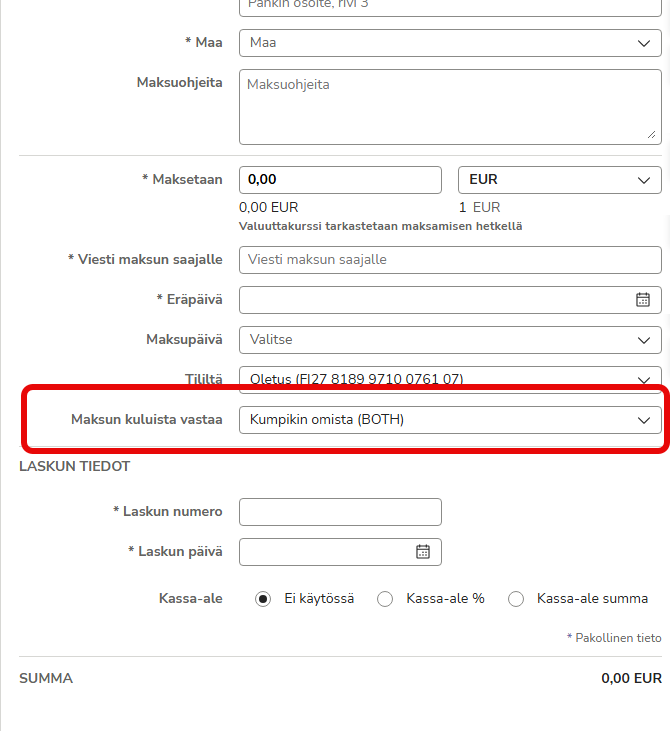
The bank charges separate fees for foreign currency payments. There are three different types of charges: BOTH, OUR and CRED.
- BOTH: Each party bears their own charges. This is the most common and recommended option, unless otherwise agreed with the invoicer. A portion of the bank’s charges is deducted from the payment sent to the invoicer. This is the only permitted method when the payee’s bank is located in an EU or EEA country.
- OUR: The payer covers the charges and the payee receives the full amount of the payment.
- CRED: The payee covers the charges. Not all banks support this option, and it is used less frequently.