-
Open the sales invoice for which you want to set up reminder or collection blocking.
-
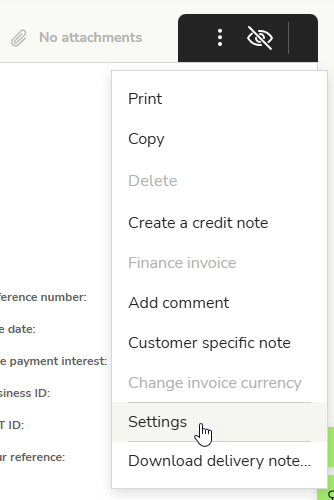
Open the three-dot menu in the upper right corner and select Settings.
-
Activate Payment reminder block and/or Debt collection assignment block and finally select Save.

-
When the block is active, no reminders will be sent for this invoice, nor will it be sent for collection.
-
You can also activate reminder and collection blocks for all new sales invoices by default in the service settings.
English
