-
Select New invoice in the Sales invoicing - Invoices view.
-
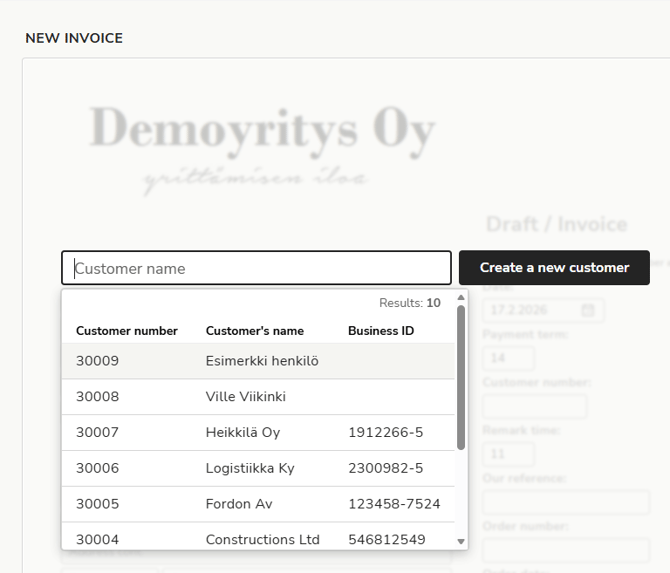
Select the customer to be invoiced in the Customer name field by entering the customer's name, name extension, or customer number and selecting the customer from the list. The information is retrieved from the customer register.
-
If you want to add a new customer, select Create new customer.
-
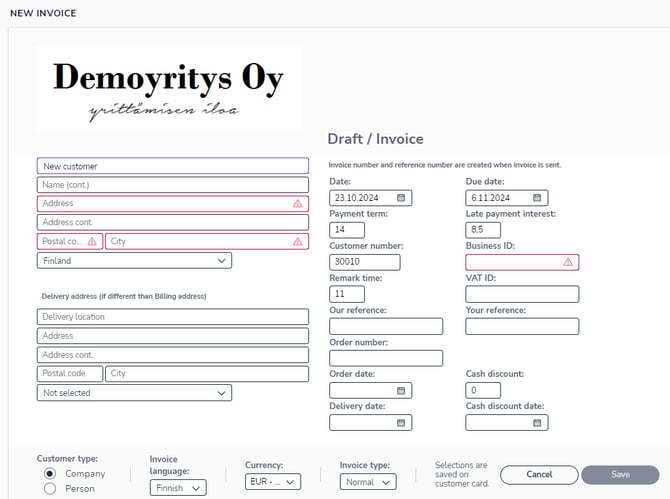
Enter the customer's address and business ID (for business customers).
-
Select the customer type: company or person.
-
Select the sales invoice language, currency, and invoice type.
-
Select Save, and the system will create a new customer in the customer register and add the customer to the invoice.
English
