
If payment reminders have been sent for a sales invoice, you can open and save the payment reminders as PDF files.
-
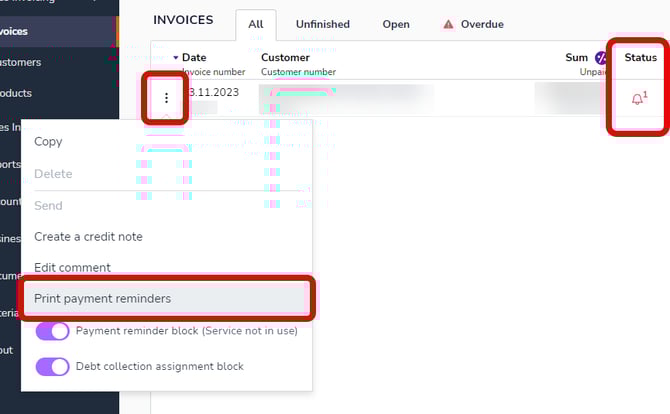
Go to the row of the invoice for which a payment reminder has been sent. You can see the number of sent payment reminders in the Status column.
-
Click on the three dots on the left side of the invoice row and select Print reminders. The payment reminder will open in a new tab.
-
The Print reminders function can also be found when you open an individual invoice and open the three-dot menu in the upper right corner.