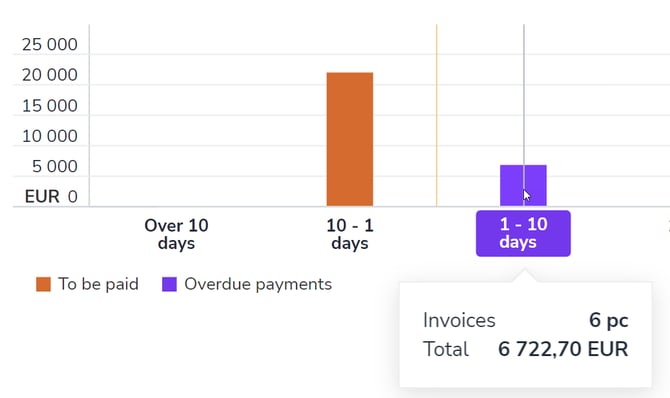
Payments graphs provide a quick overview of the company's payment status.
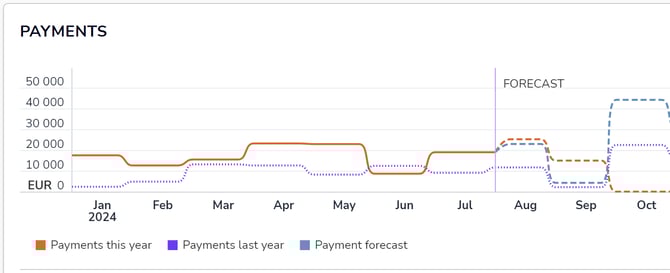
The trend graph gives you an idea of how payments have developed on a monthly basis. It also includes a forecast for the future based on the previous and current year. In the monthly view, you can move forward and backward using the arrows in the upper right corner of the graph.
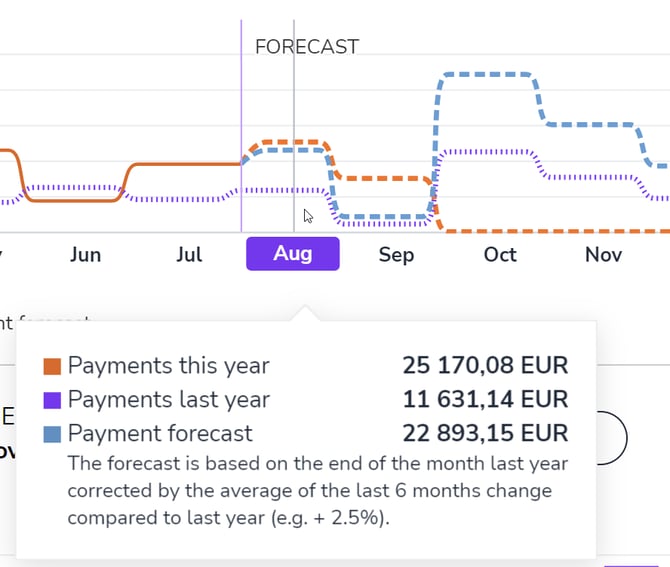
Hover your mouse over a specific day to see a more detailed summary of payments and a comparison with the previous year.
Waiting for payment shows the number and total amount of purchase invoices received. ...of which overdue shows purchase invoices whose due date has already passed but have not been paid. Show list button allows you to switch between the graph and list views.
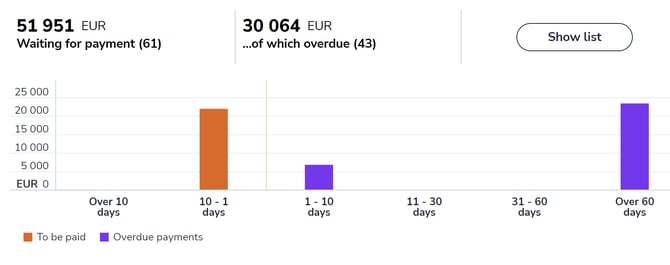
The age distribution shows unpaid purchase invoices in euros based on their due date.