Skip to content
English
  • There are no suggestions because the search field is empty.

Easor App - Organisation details

This article explains where to find your organisation's basic details and what information you can edit in the Easor App.

  1. Select Settings from the top bar of the Easor App, then select Organisation details.
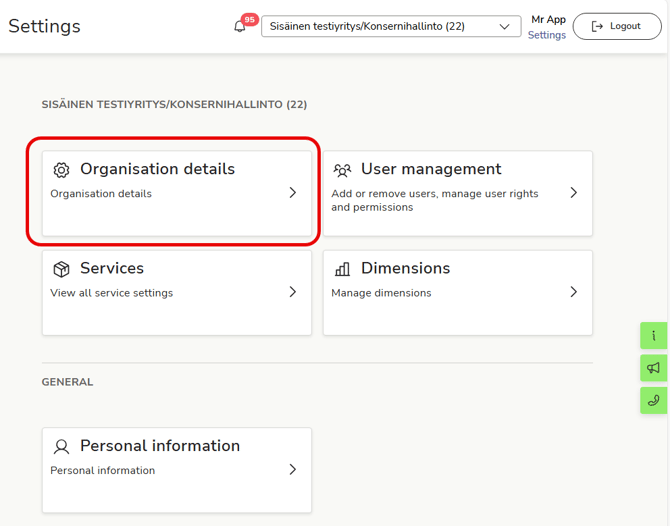
    EN Easor App - Settings - Main page - Organisation details

  2. Organisation details page contains basic information about the organisation as well as contact and billing information.
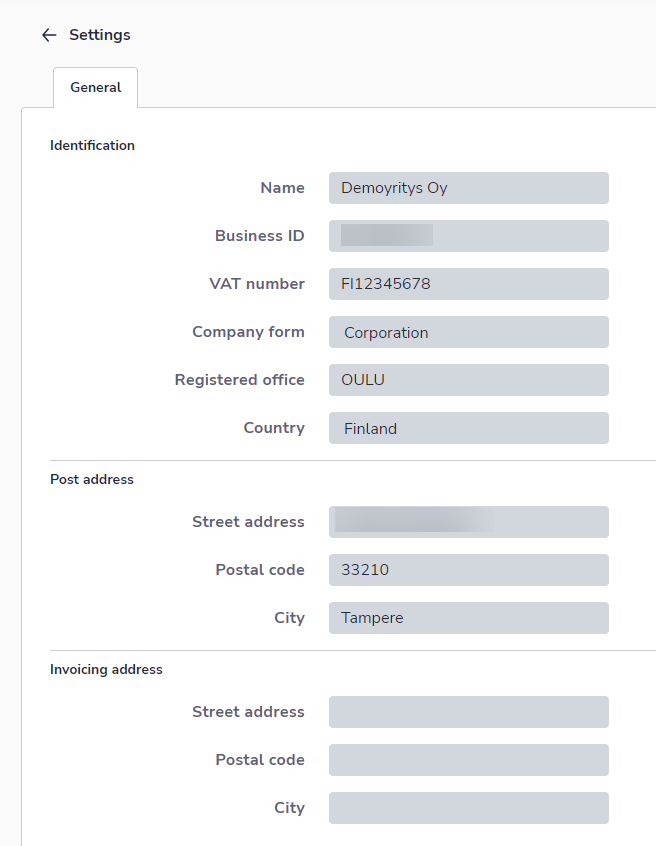
    EN Settings Organization details General

  3. Depending on your access rights, you may only be able to edit some of the company's information. Changes are saved automatically.
