
Sometimes changes are made to the recurring invoice template and invoices need to be updated. For example, the price of a product changes and the new price must be updated for invoices that have already been created but not yet sent.
1. Open the invoice template to be edited and make the necessary changes.
2. Click on the three dots in the upper right corner of the invoice template view and select Update invoices.
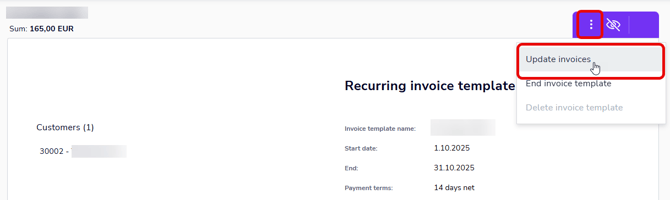
3. The next invoices will be created with the updated information, and invoices that have already been created will be updated in the Automatically sent and Manually sent tabs.
Sent invoices can no longer be updated.
4. If you make changes to the invoice template and do not use the Update invoices function, the changes will take effect for the next invoices created.