
If a purchase invoice does not require approval and is ready for payment in all respects, move your mouse over the purchase invoice to be paid and select Pay. The purchase invoice will be paid on the due date or on the selected payment date.
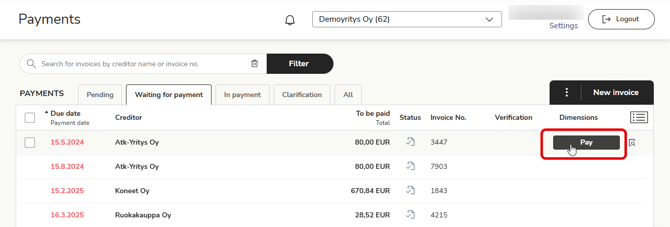
If you want to check the invoice details before paying, do the following:
- Open the invoice details by clicking on the invoice row.
- On the left, you will see a preview of the invoice. You can copy and paste information from the invoice if necessary.
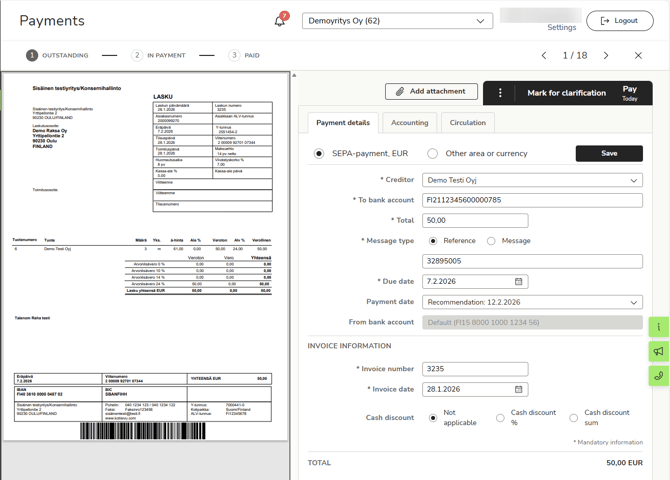
- On the right, you will see the purchase invoice details, which you can edit if necessary.
- Select Pay in the upper right corner to pay the purchase invoice.
- When viewing an open invoice, the top bar shows you how many invoices you have to process and where you are in the list. Use the arrows to move to the previous or next invoice.
