
If you have paid yourself or your employee money directly from your company's account, it must be processed during the current month.
1. Select 3. Salary in the salary payment process and add a Cash salary salary type row. Enter 0 (zero) as the value.
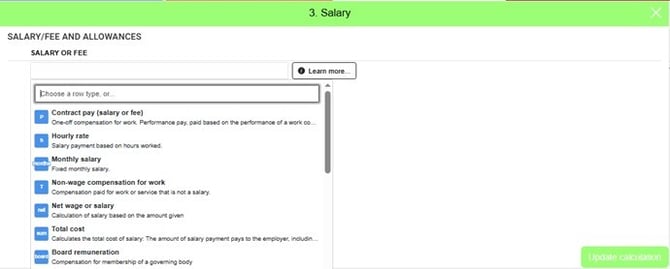

2. Then go to step 4. Deductions, expenses, etc.
3. Under the subheading Deductions, select the Pay advance salary type row and enter the salary amount paid in euros.
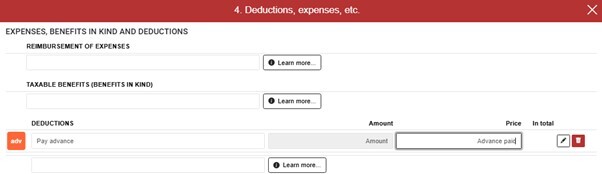
4. Check that the advance salary has been processed correctly on the employee's payslip. If the amount to be paid is '0' (zero), the salary advance has been processed correctly.
5. An invoice must be created for the salary advance and approved, after which the income register notifications will be sent.