
1. Go to the employee's information.
2. Go to Holiday.
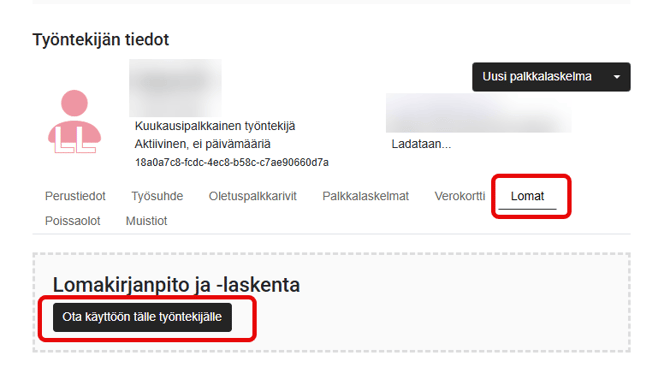
3. Select Enable for this employee.
4. Specify the information for holiday calculation and finally select Enable holiday accounting.
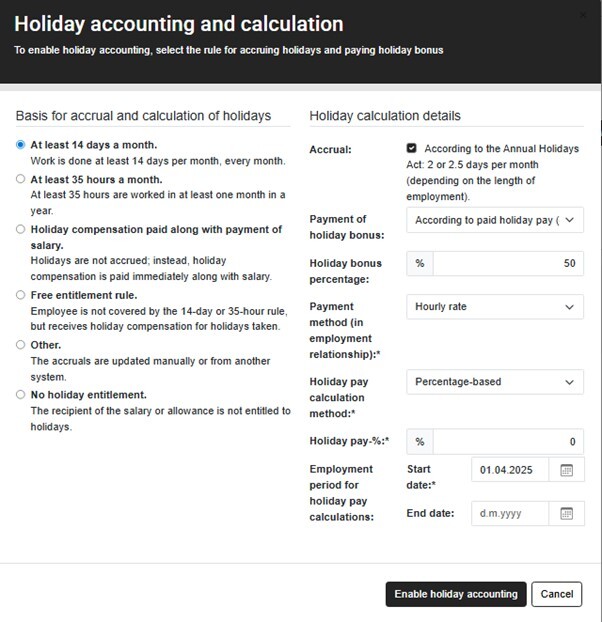
For the time being, our system only supports holiday tracking for monthly paid employees (=14-day rule).