
In the Archive view, you can edit document viewing rights using the Add viewing rights function.
This function is only available to accounting firm users and company administrators.
- Select one or more documents, and new buttons will appear at the top.
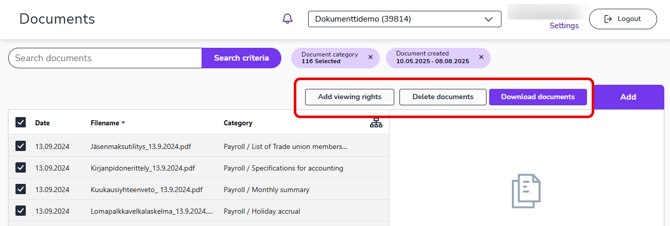
- Select Add viewing rights.
- In the Add individual viewing rights dialog, select the users for whom you want to add viewing rights to the selected documents.
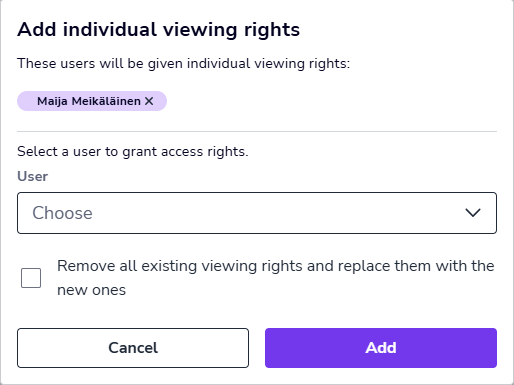
- Select the Remove all existing viewing rights and replace them with the new ones option if you want to completely replace the old viewing rights.
- Finally, select Add.