Garnishment
The employer receives a letter from the garnishment authority informing them of the payment prohibition. The letter explains how the garnishment should be collected from the employee in question.
1. Go to the garnishment authority's payment prohibition calculator (opens in a separate window) and calculate the garnishment amount.
2. You can use the payment prohibition number to directly search for the garnishment amount.
3. You can also fill in the information provided in the letter yourself in the calculator to obtain the amount to be withheld from the employee's wages.
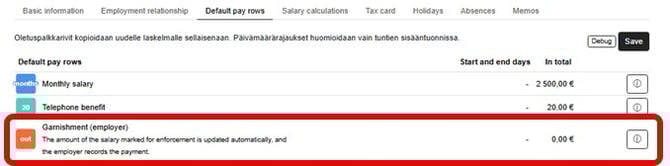
4. Add the garnishment to the employee's default wage line by selecting the employee from the Employees menu.
5. On the Default Salary Lines tab, add Garnishment as the default salary line.
6. Use the pencil icon on the right side of the line to add the garnishment amount and RF reference, among other things.
Membership fee
The employee and employer may agree that the employer will deduct the employee's union membership fee from their salary and pay it on their behalf to the trade union specified by the employee.
The deduction of union membership fees from wages must always be agreed separately, and the employee must provide the employer with payment instructions for the union to handle the payments.
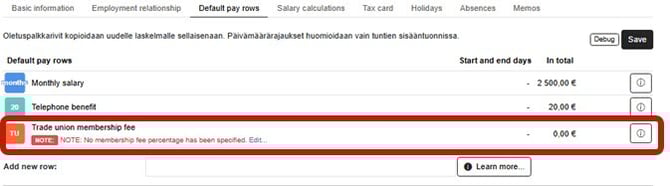
1. Enter the union membership fee as the employee's default salary row in the employee's information on the Default Salary Rows tab.
2. Add Trade union membership fee as a new default salary line.
3. Click on the pencil icon on the right-hand side of the line to add, for example, the membership fee collection percentage and reference number.