
When you create a new sales invoice, the application automatically fills in the invoice date, due date, payment terms, late payment interest, and reminder period in the basic information section of the sales invoice.
If the invoice date is in a closed period (the sales invoicing lock date has passed), a red triangle will appear in front of the invoice date and the invoice cannot be sent until the date has been changed.
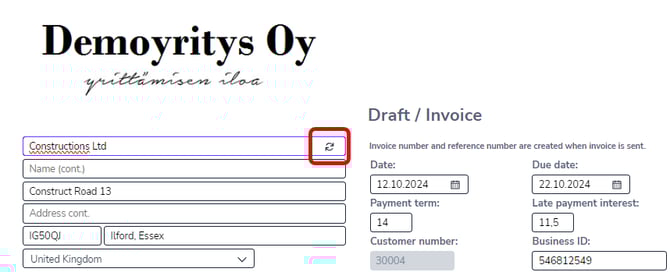
Your company logo will be displayed on the invoice draft if you have specified it in the sales invoicing settings.
Click at the top of the invoice if you want to edit the basic invoice information. You can add a reference (your own and the customer's), order number, delivery date, and cash discount date to the sales invoice.
You can also change the customer on the invoice or create a completely new customer. Only the customer-specific information on the invoice will change. Other information, such as product lines, will remain unchanged.
Select Save, and the information will be saved to the draft sales invoice. The invoice number and reference number are created automatically when the invoice is sent.