
1. Open the Easor App browser application.
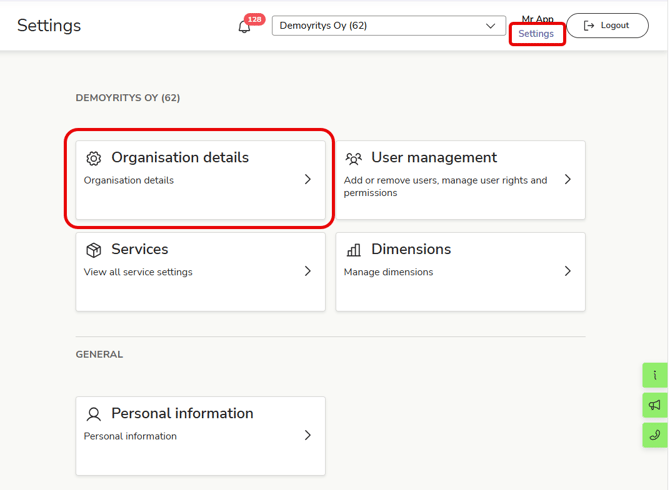
2. Select Settings at the top of the home page.
3. Select Organisation details.
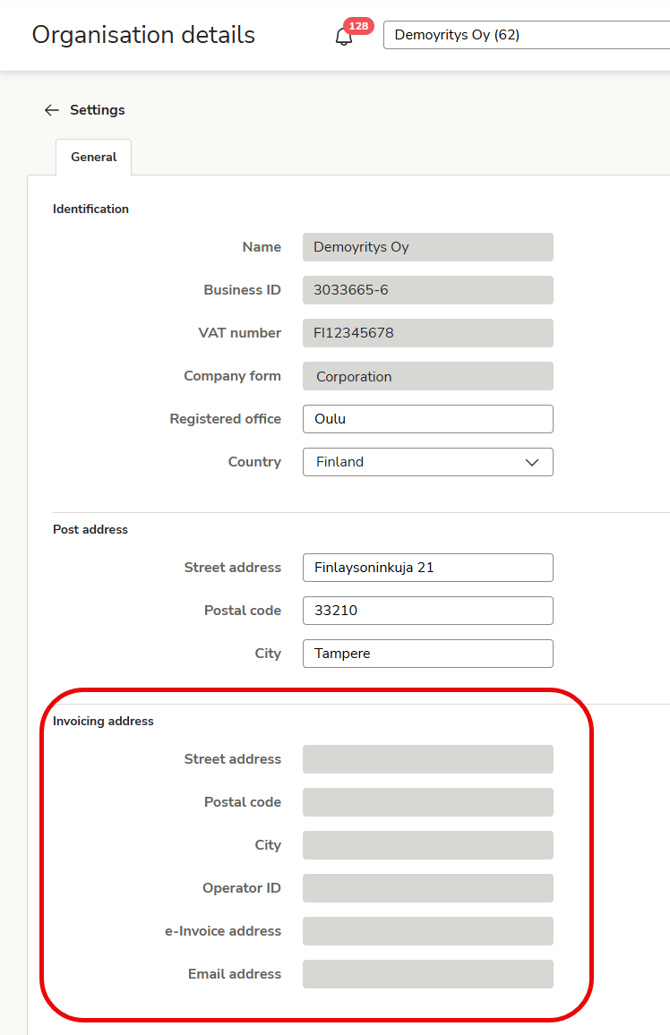
4. Under the Invoicing address heading, you will see your company’s invoicing information. Copy the necessary information and send it to your vendors. You can use our ready-made message template.
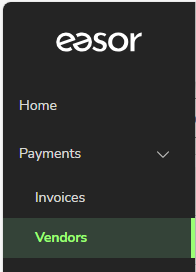
5. If necessary, you can find a list of your vendors in the Vendor register. Select Payments - Vendors.
6. The easiest way to find a vendor's contact information is through the YTJ search or on an invoice received from the vendor.
Also provide the address details for paper and email invoices to all vendors, even if the vendor has previously sent only e-invoices. Typically, paper invoices are sent for things like payment reminders. In addition, nearly all invoicing sent from outside Finland consists of email and paper invoices.