
On the front page of the Sales invoices service, you will see a graph showing monthly sales invoicing and, below it, a list of sales invoices in different statuses.
The Sales Invoices feature requires that you have access rights to process sales invoices. Depending on your access rights, you will see either only your own sales invoices or all sales invoices for the customer.
At the bottom of the view, you can choose whether to display all sales invoices or only open or overdue ones.
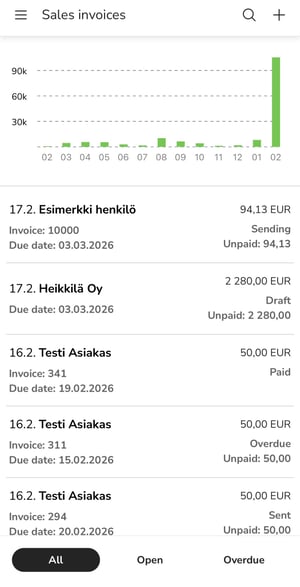
The + button in the upper right corner allows you to create a new sales invoice.