
Skip to content
English
  • There are no suggestions because the search field is empty.

Easor App - User management

This article explains where you can manage your company's Easor App users and their access rights.

On the User Management page, you can manage your company's Easor App users and their access rights.

  1. Select Settings from the top bar of the Easor App and then User Management.
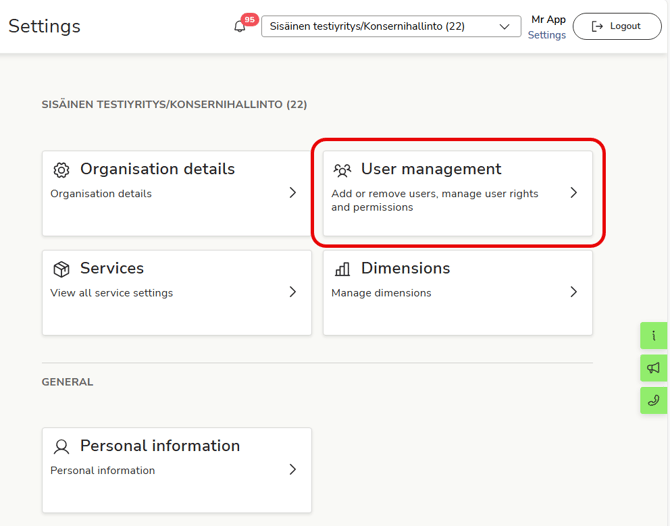
    EN Easor App - Settings - Main page - User management

  2. On the User Management page, you will see a list of your company's Easor App users and their access rights.
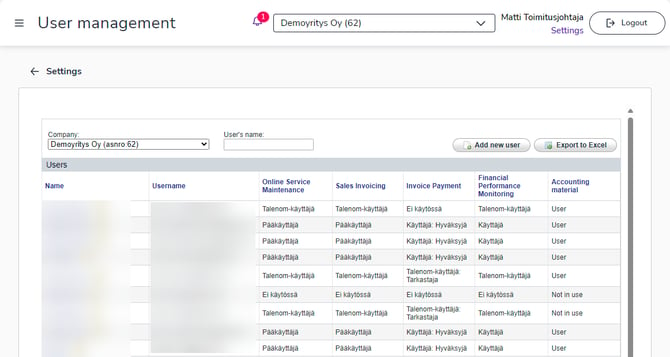
EN Asetukset Käyttäjien hallinta