- Go to the Payments service.
- Open the purchase invoice by clicking on the invoice row in the Payments view.
- Select Print from the three-dot menu in the upper right corner.
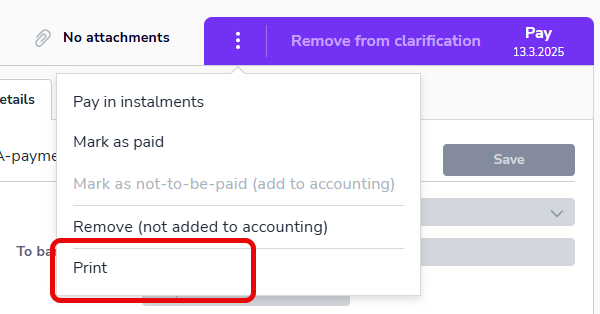
- The image will open in a new tab, where you can print the image or save it as a PDF file.
English
