-
Open the sales invoice for which you want to change the currency.
-
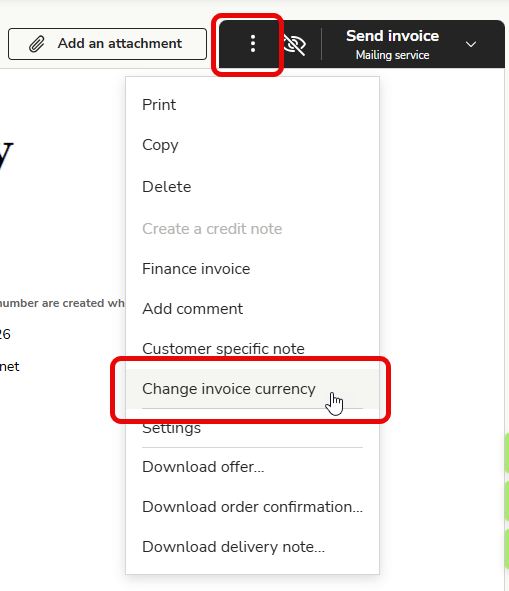
Open the three-dot menu in the upper right corner and select Change invoice currency.
-
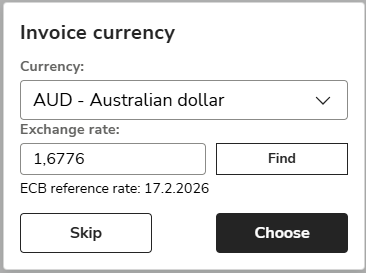
Select the currency to be used for the sales invoice. The program will retrieve the previous day's ECB reference rate for the selected currency.
-
If the ECB does not publish a reference rate, enter the exchange rate manually in the Exchange rate field and click Choose.
English
