- In the Invoices view, select the sales invoice for which you want to create a credit invoice.
- Open the three-dot menu on the left side of the invoice row and select Create credit invoice.
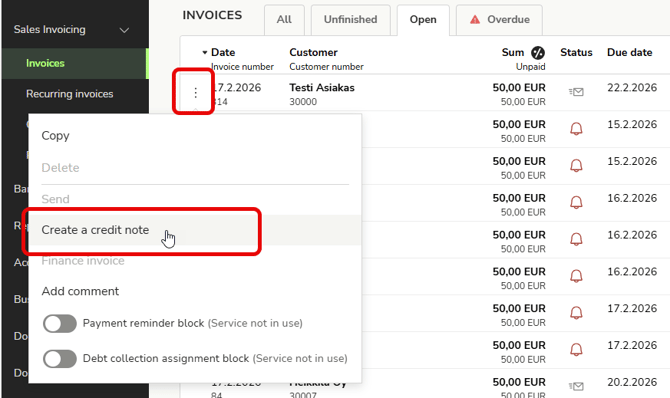
- The program selects the same customer for the credit invoice as for the original sales invoice.
- If necessary, edit the sales invoice details and invoice rows.
- Finally, select Send invoice and the credit note will be sent to the customer in the manner you have selected.
English
